A shared desk for you and your agents.

Drop notes, links, files and screenshots from your phone or laptop. Your agents take them, do the work and put the result back for you to approve.

Start free trial14 days, no card
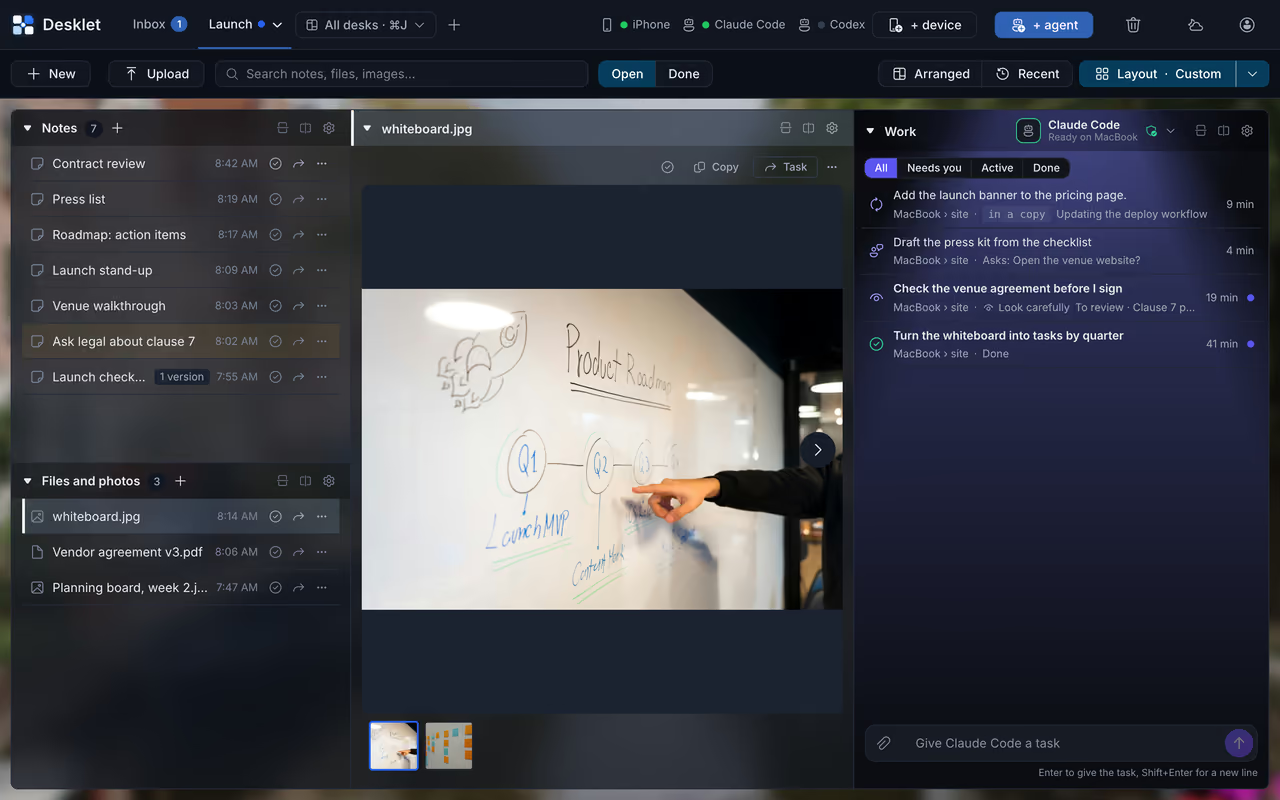
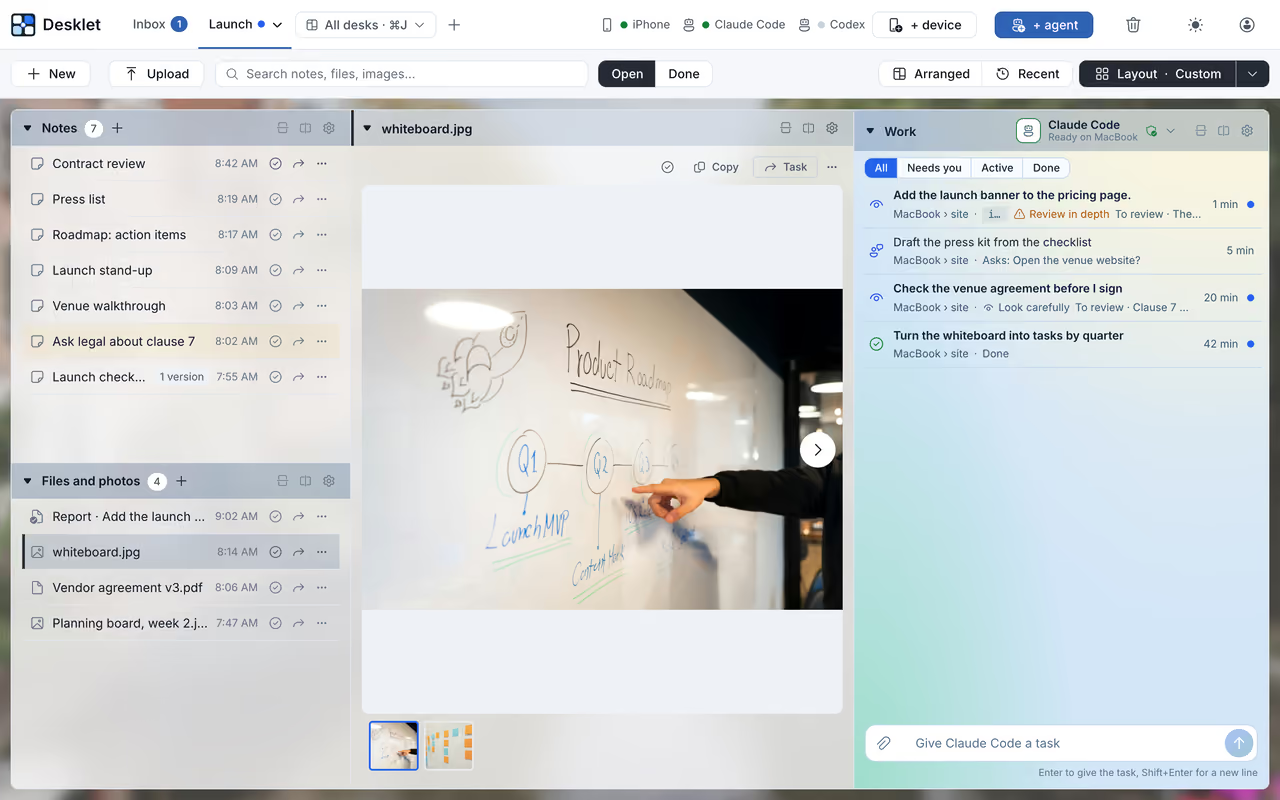
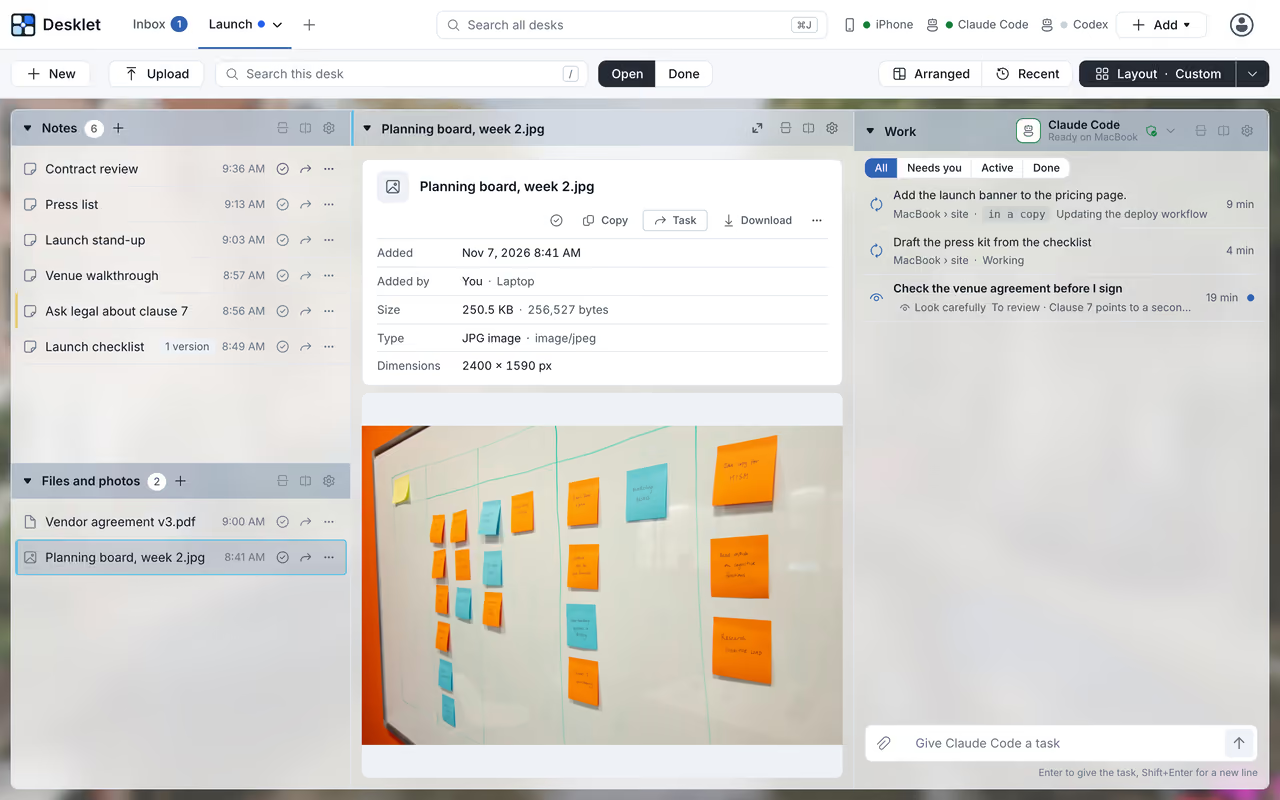
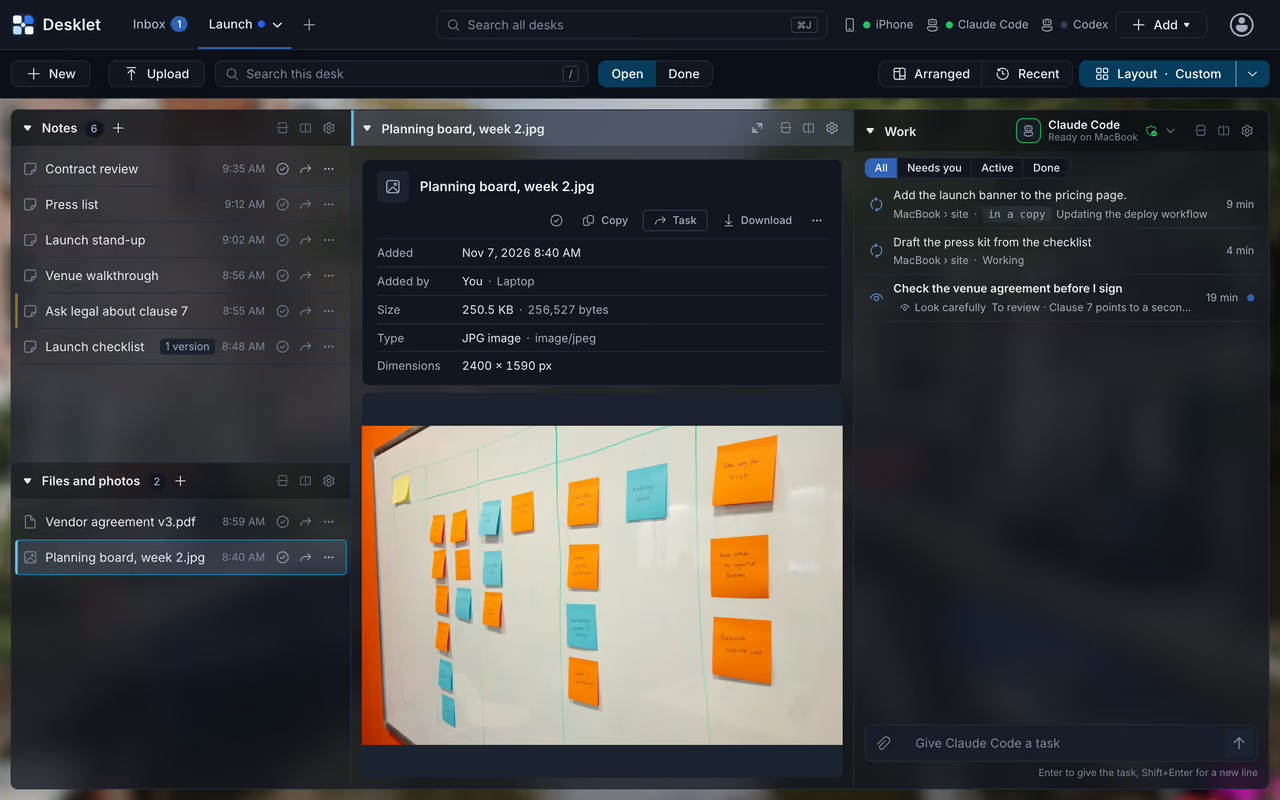
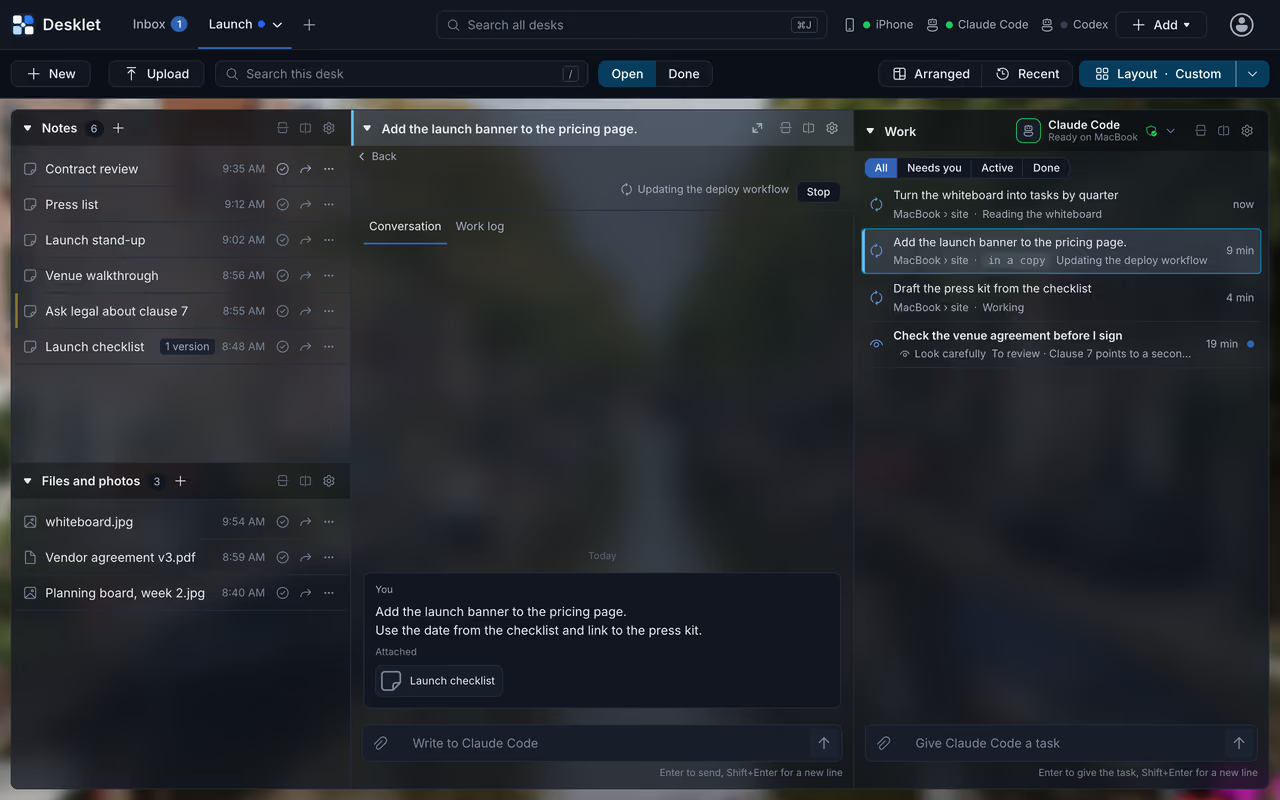
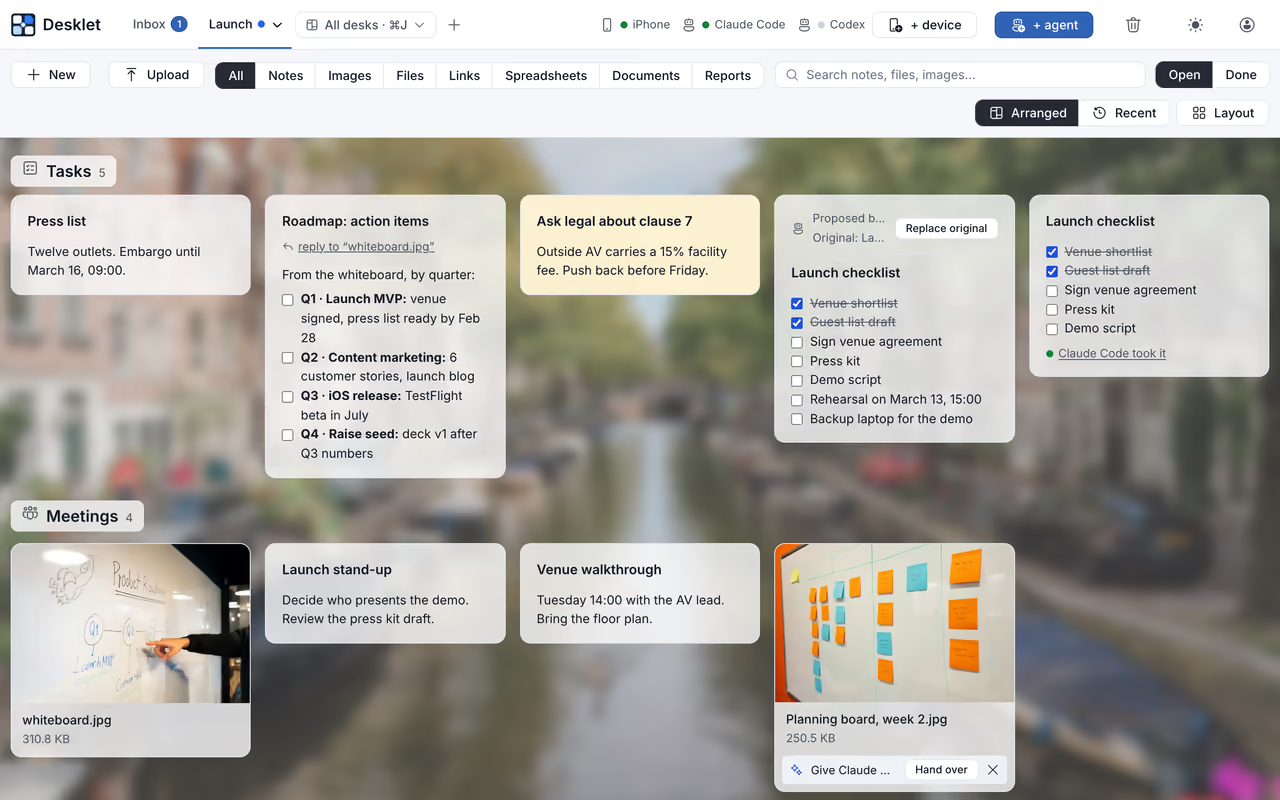
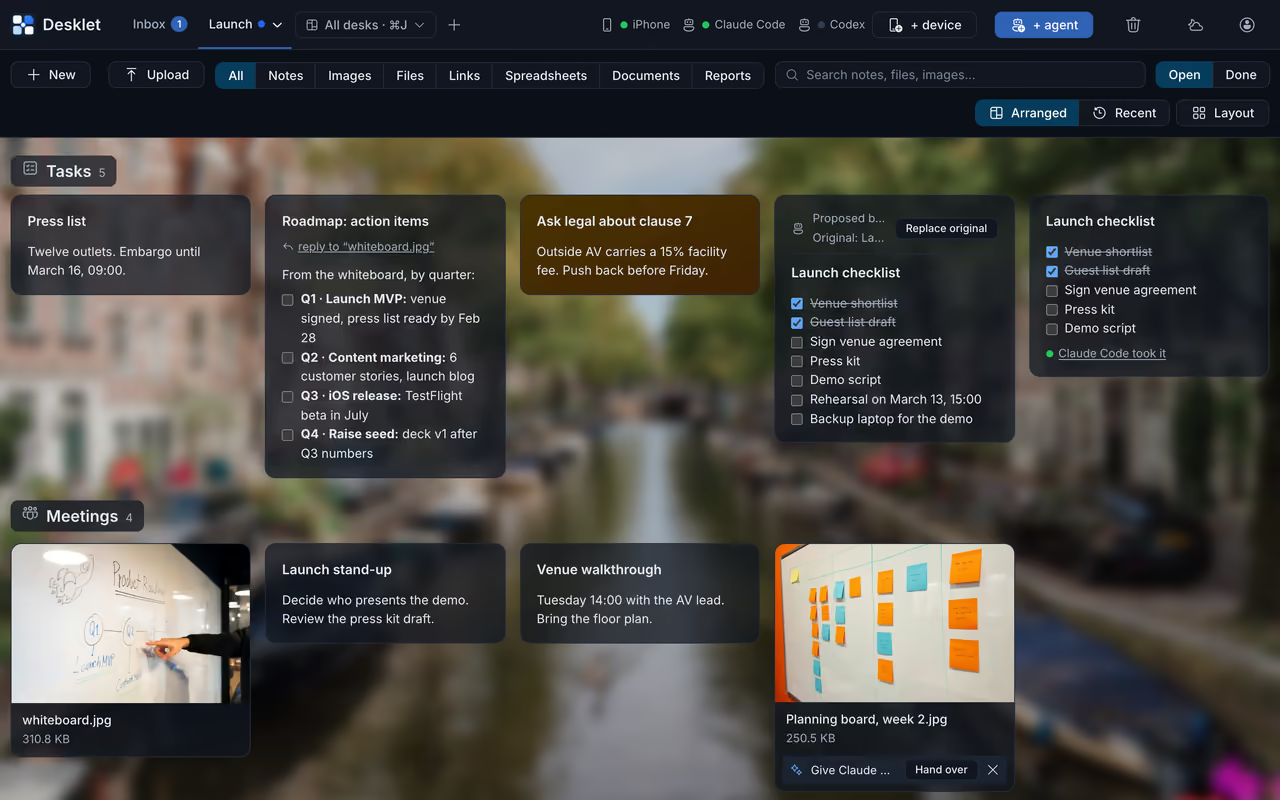
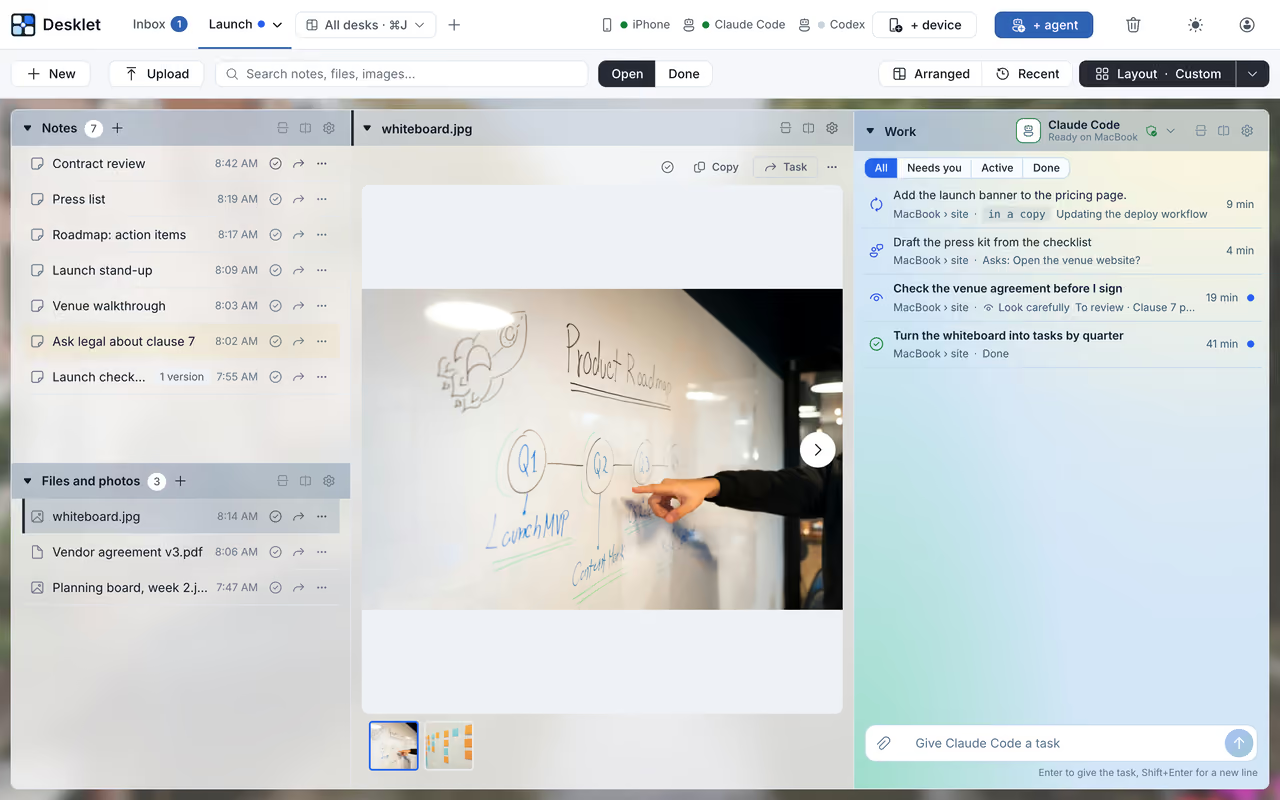
A Desklet desk named Launch: notes and files on the left, a whiteboard photo from an iPhone in the middle, and on the right a list of tasks that Claude Code is working on.A Desklet desk named Launch: notes and files on the left, a whiteboard photo from an iPhone in the middle, and on the right a list of tasks that Claude Code is working on.
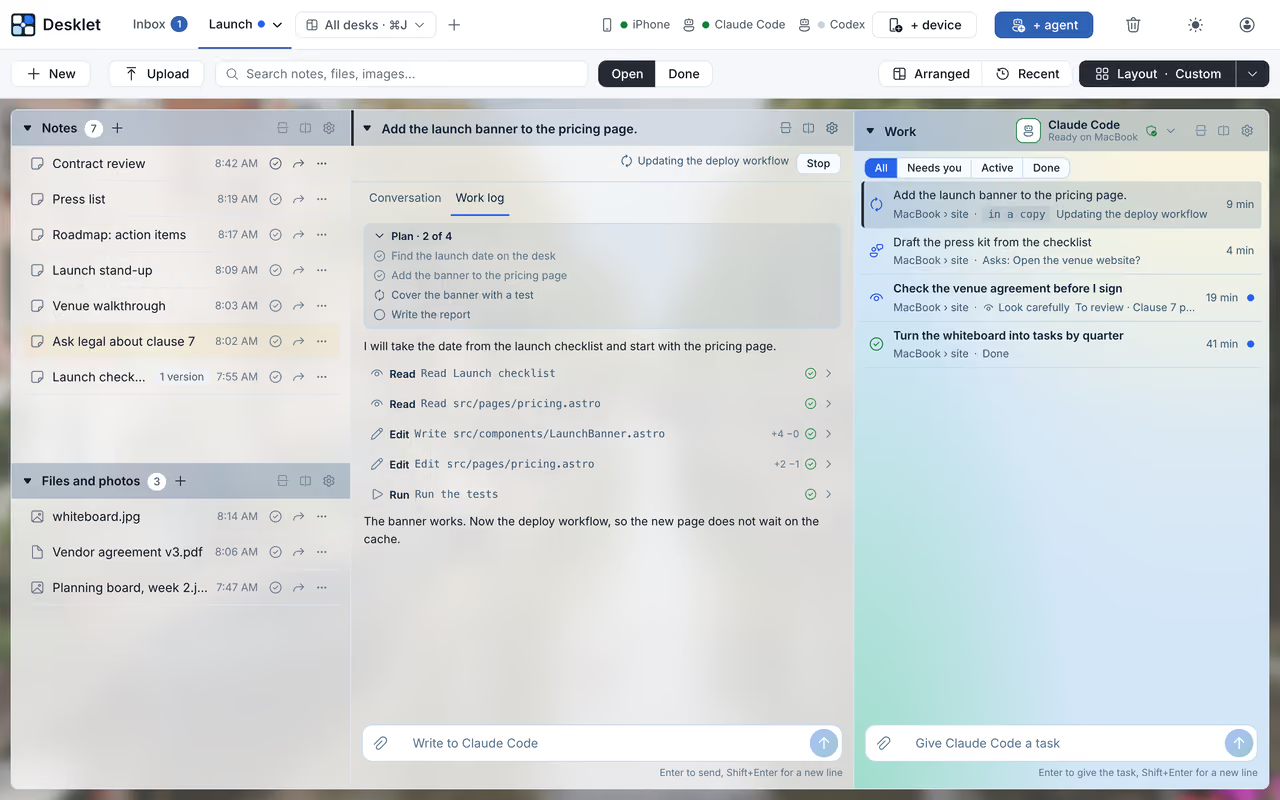
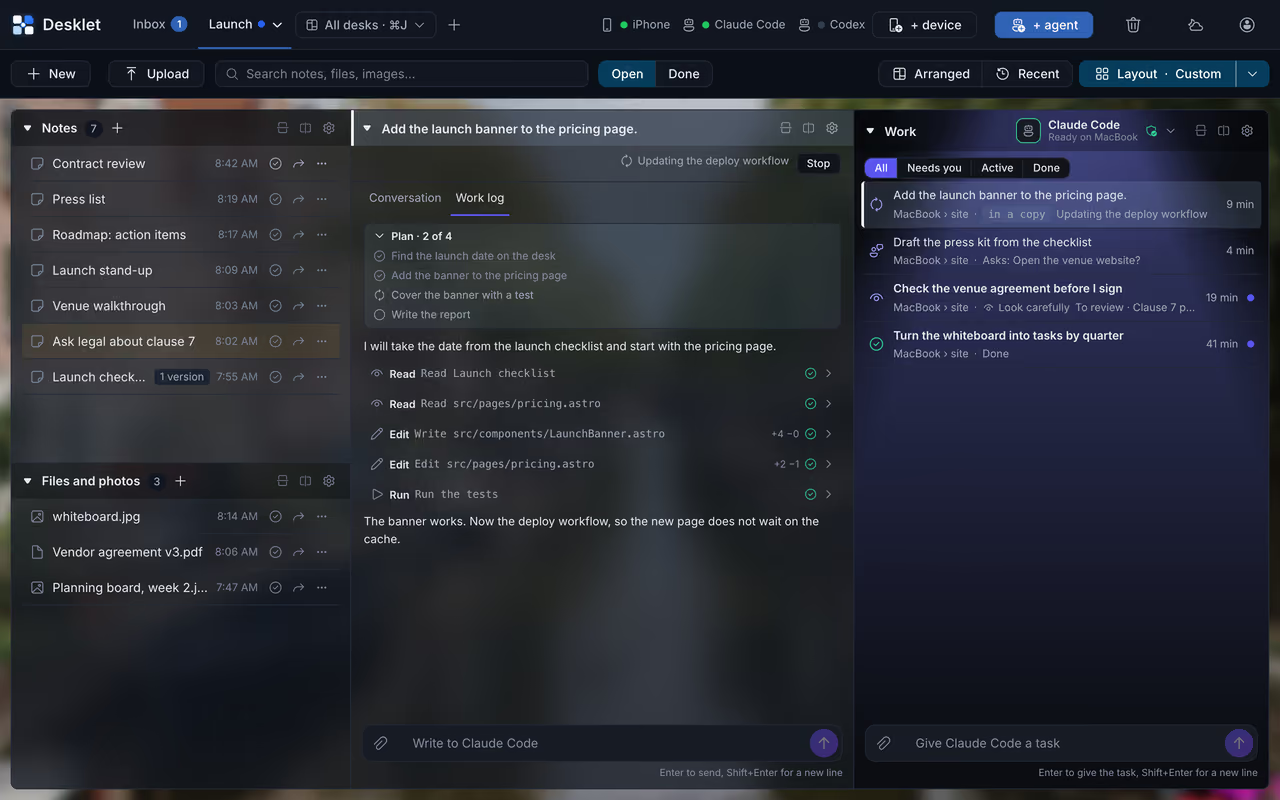
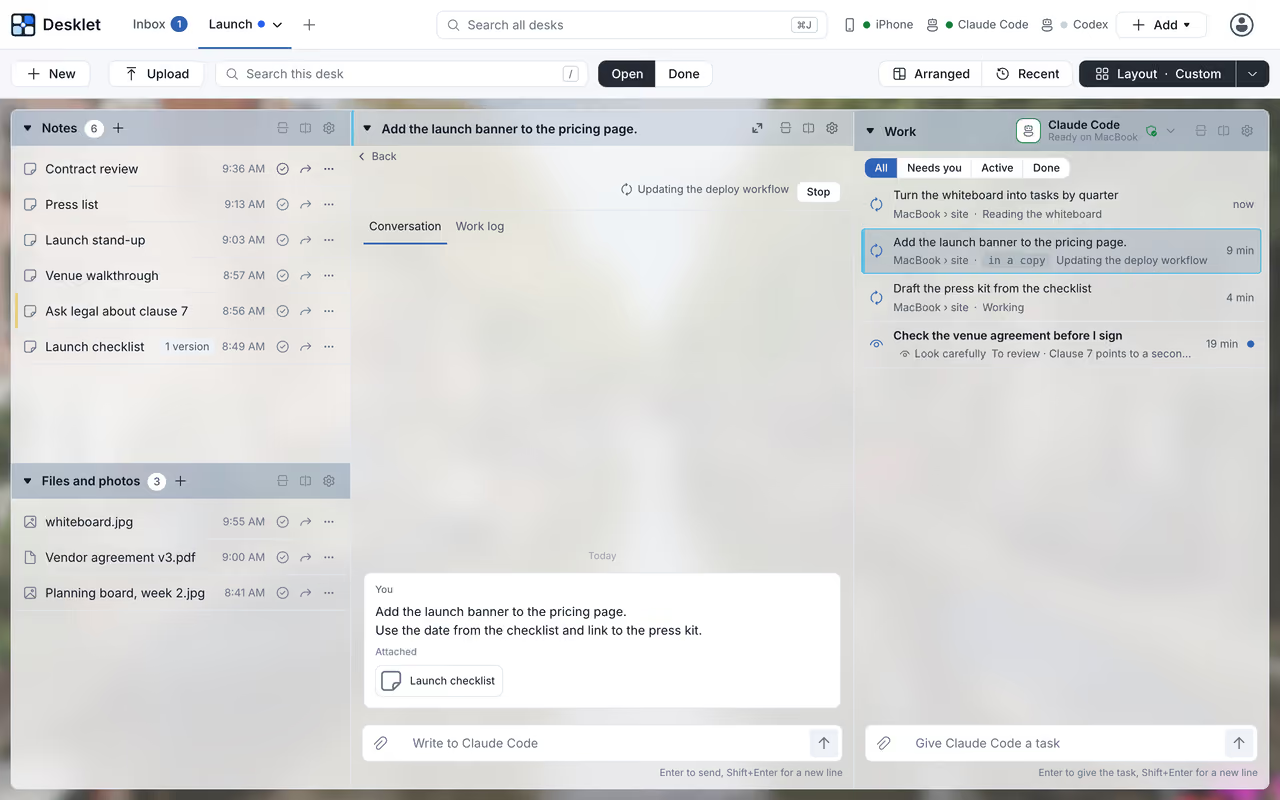
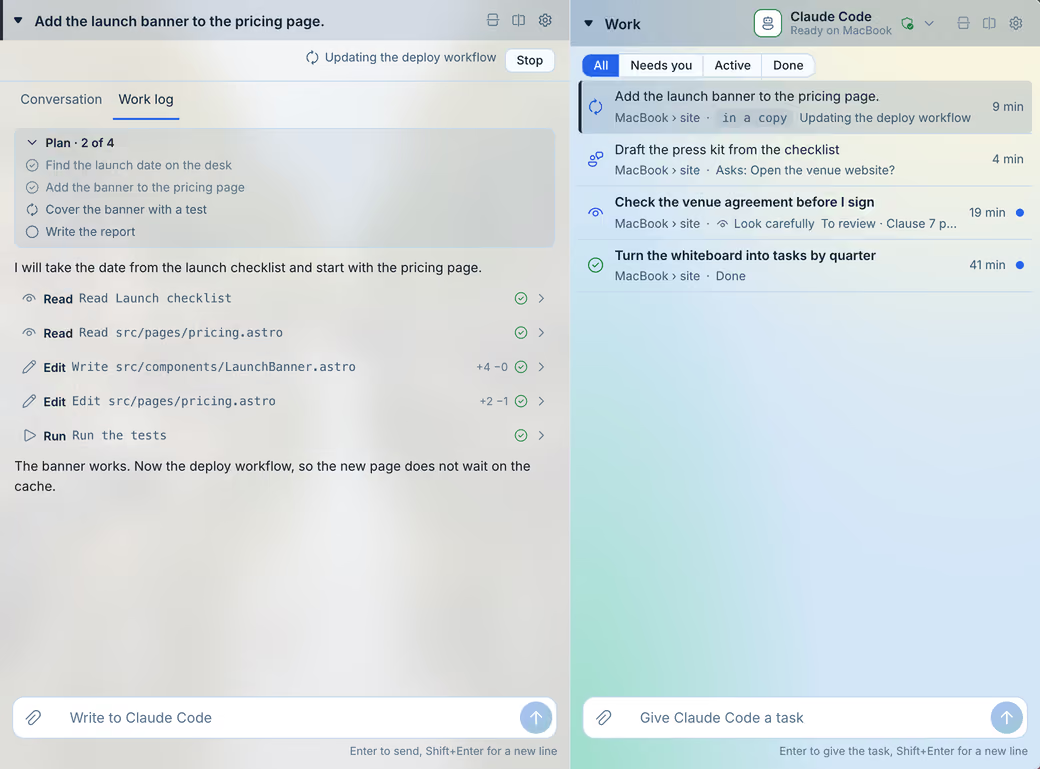
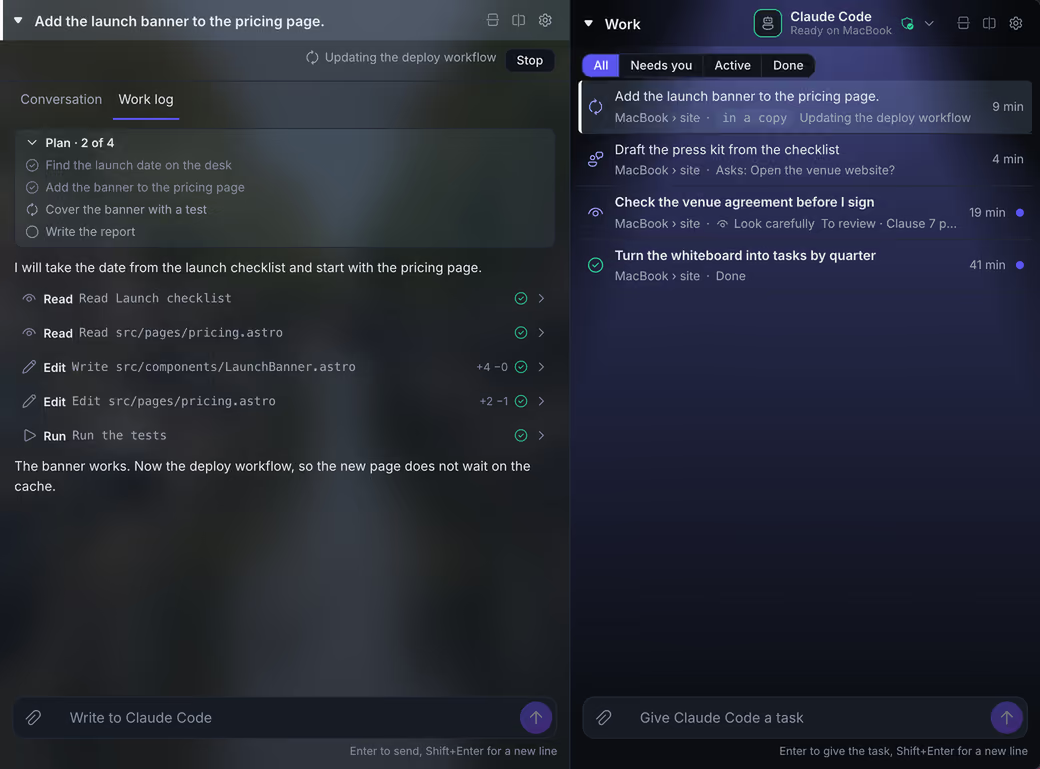
The task Add the launch banner to the pricing page, open on its work log: Claude Code’s plan, the files it read and edited, and the tests it ran.The task Add the launch banner to the pricing page, open on its work log: Claude Code’s plan, the files it read and edited, and the tests it ran.
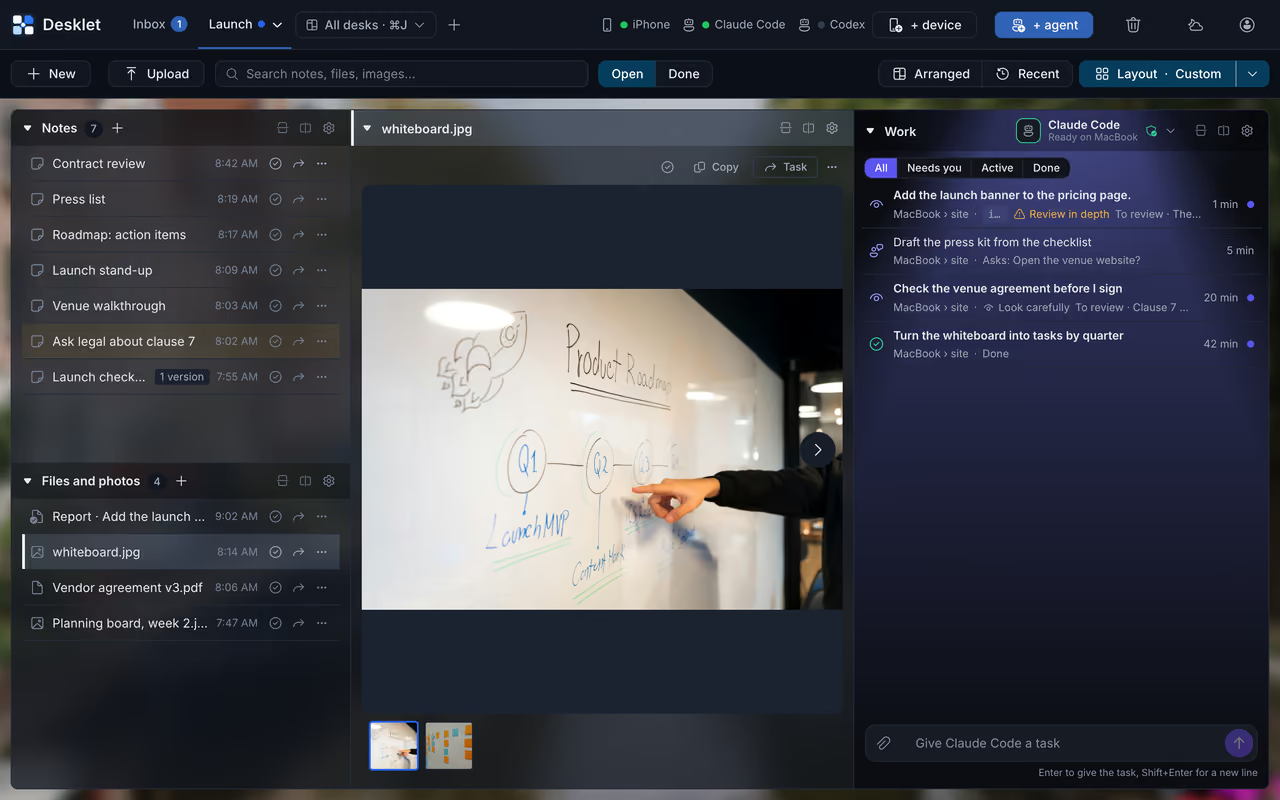
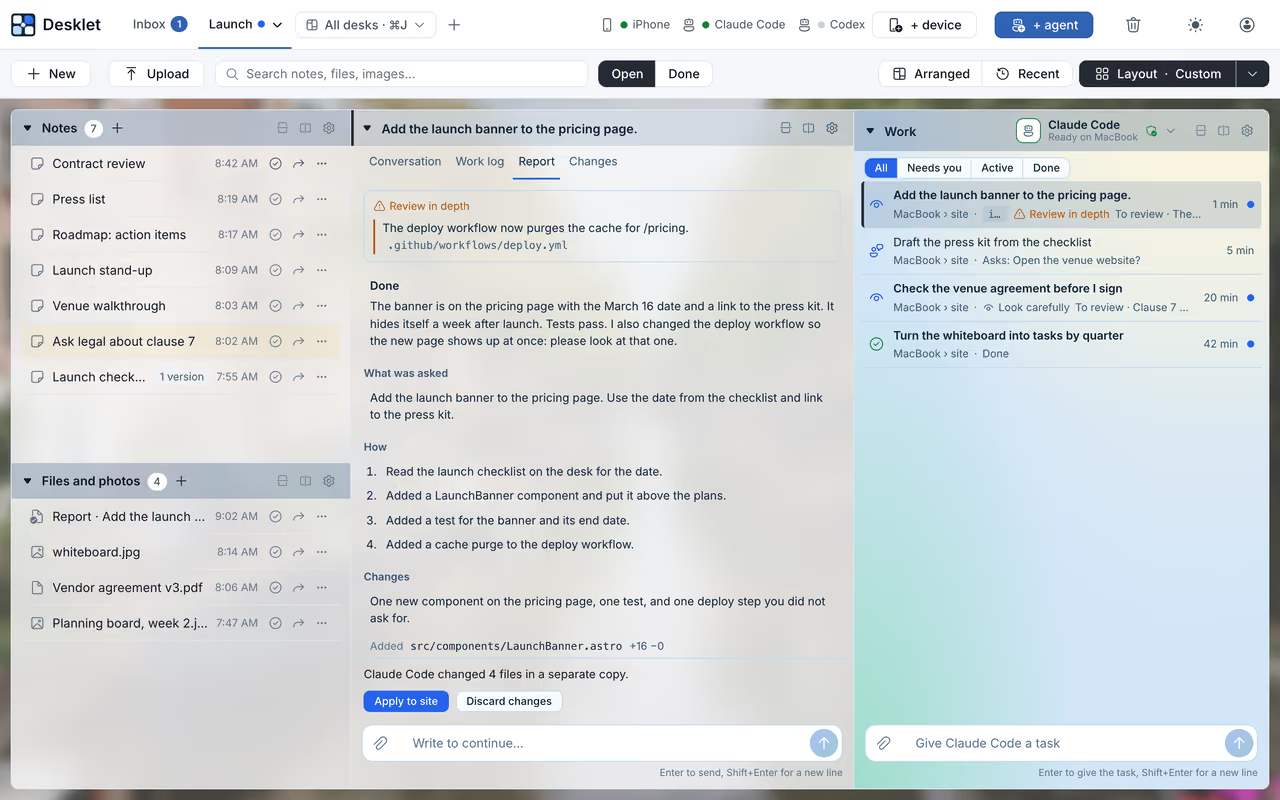
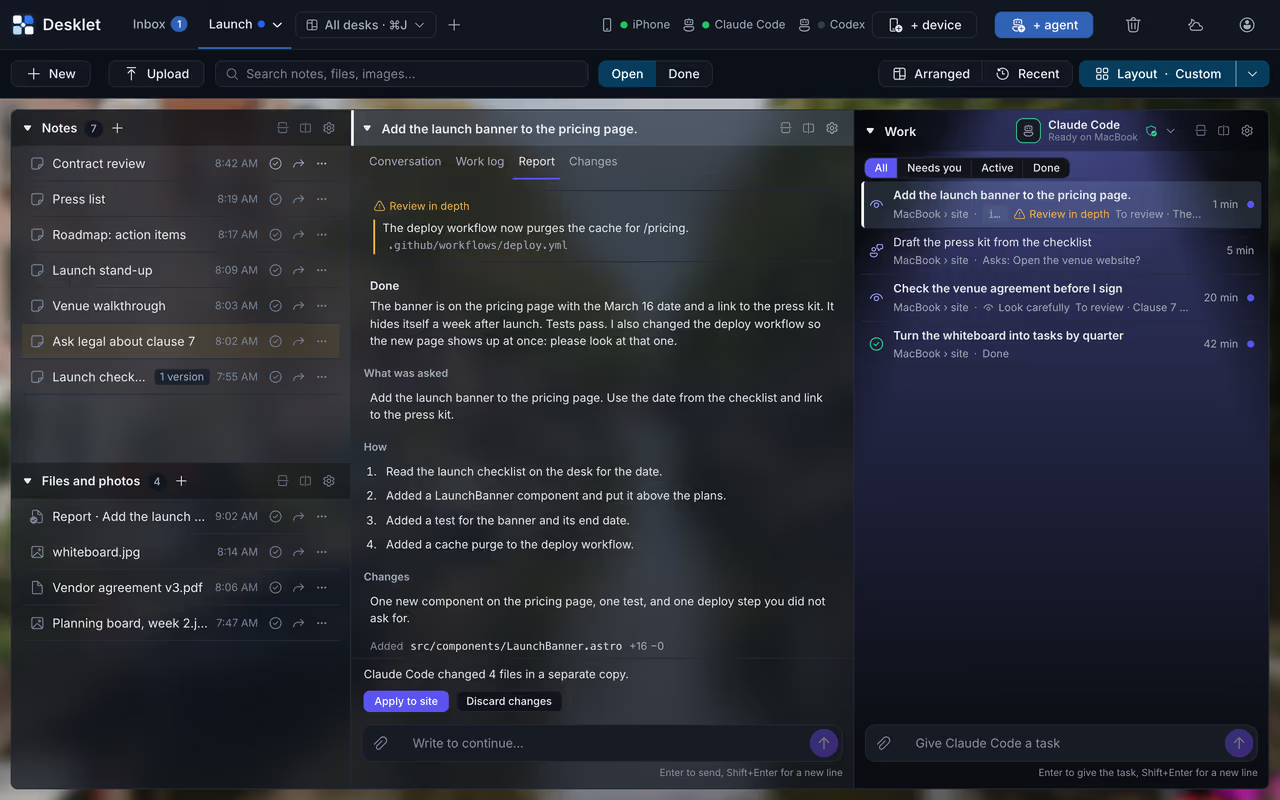
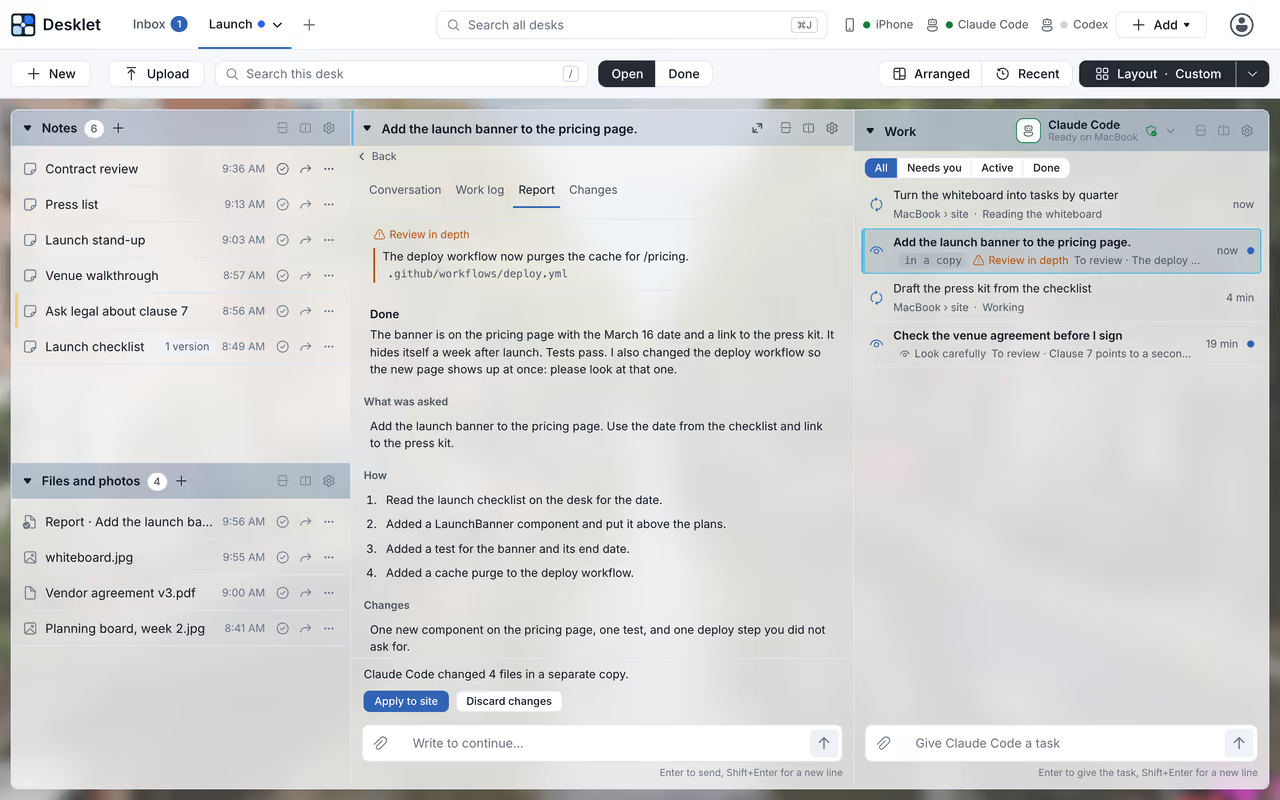
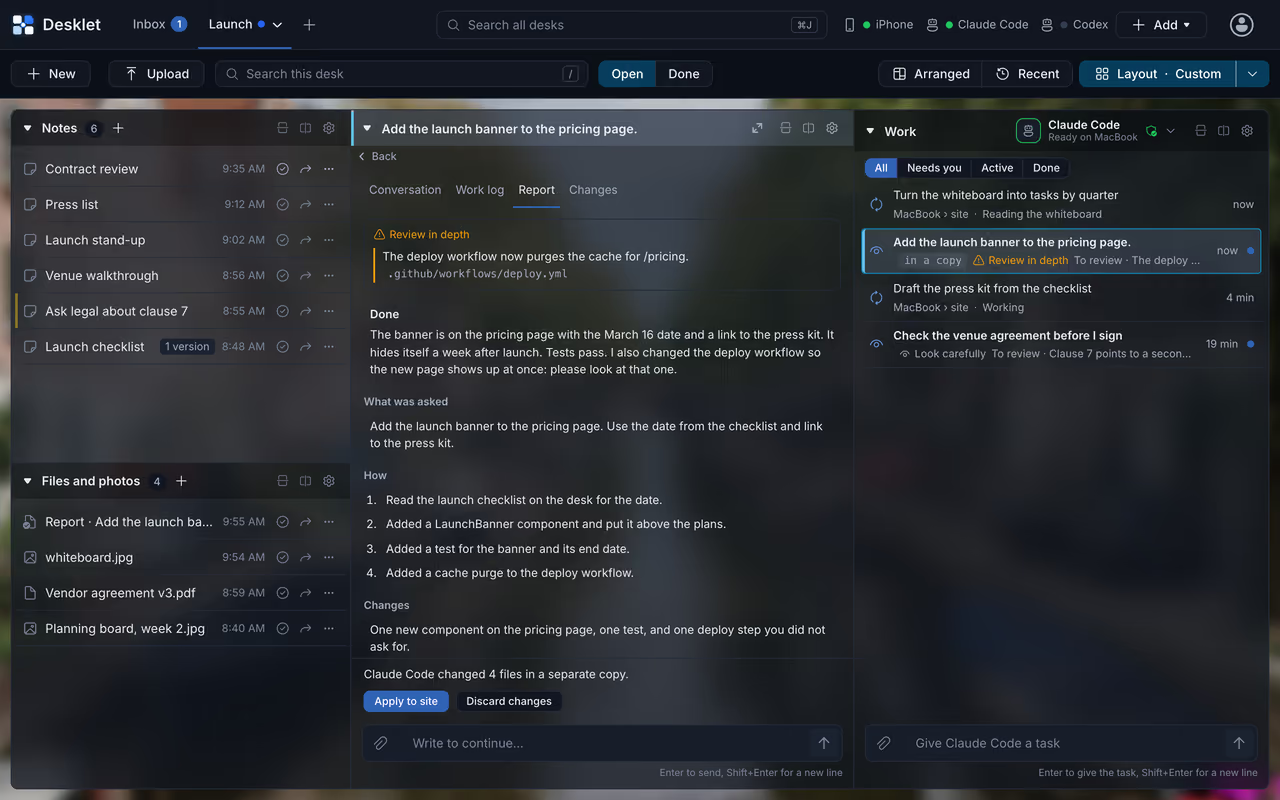
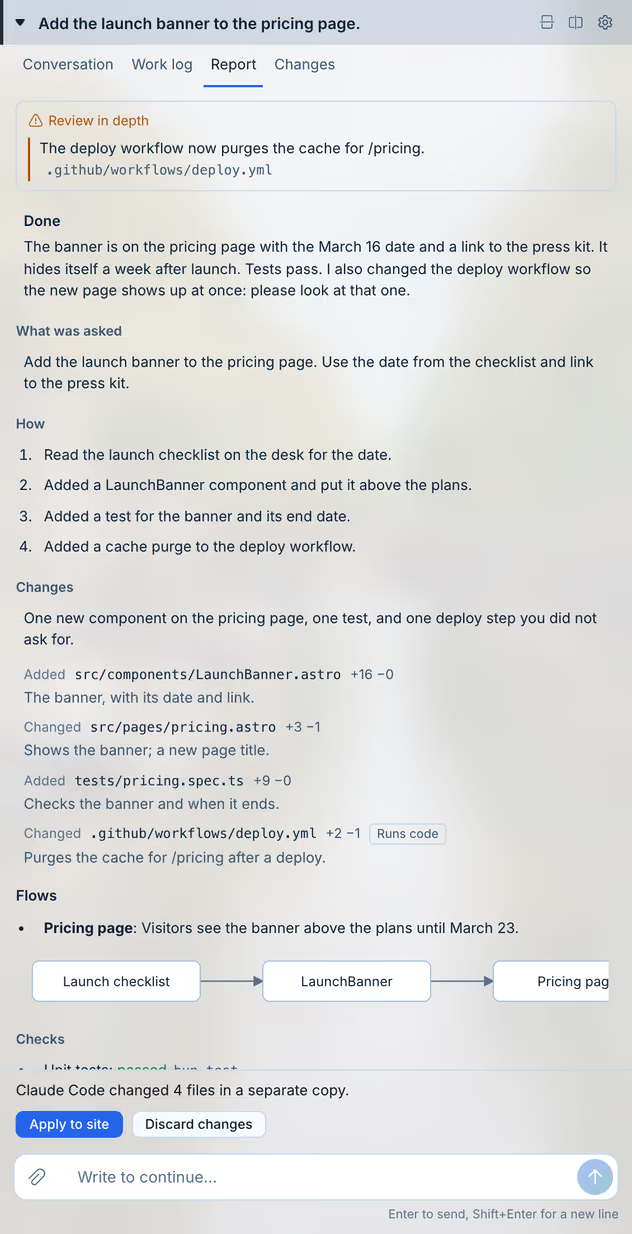
Claude Code’s report on the banner task: a Review in depth flag on the deploy workflow, the summary, how it was done, and buttons to apply or discard the changes.Claude Code’s report on the banner task: a Review in depth flag on the deploy workflow, the summary, how it was done, and buttons to apply or discard the changes.
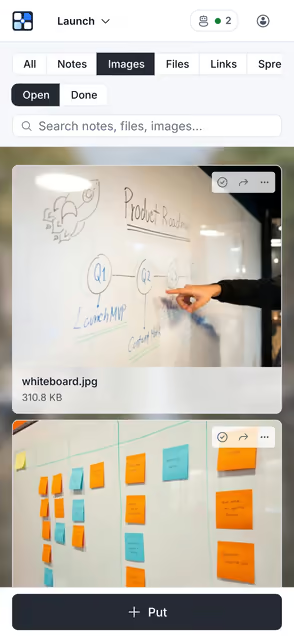
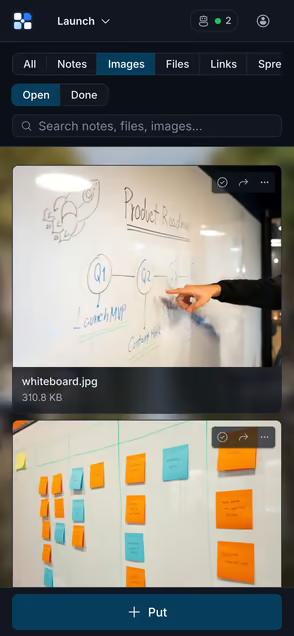
The Launch desk on an iPhone, with the whiteboard photo just put on it.The Launch desk on an iPhone, with the whiteboard photo just put on it.
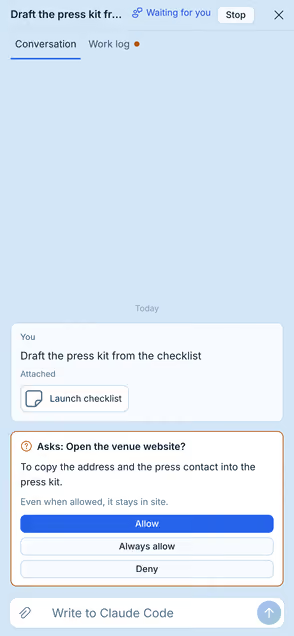
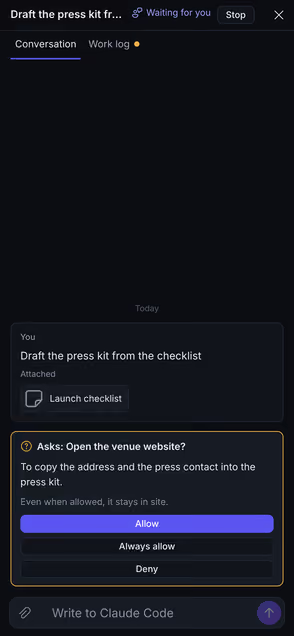
A request on the phone: Claude Code asks to open the venue website, with Allow, Always allow and Deny.A request on the phone: Claude Code asks to open the venue website, with Allow, Always allow and Deny.
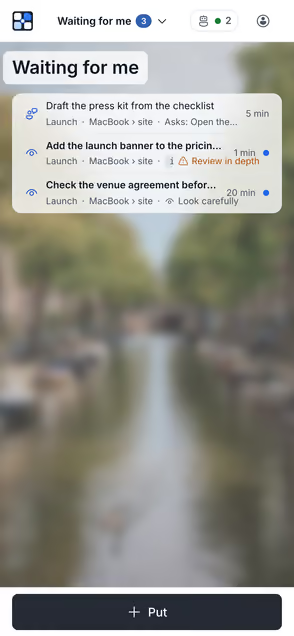
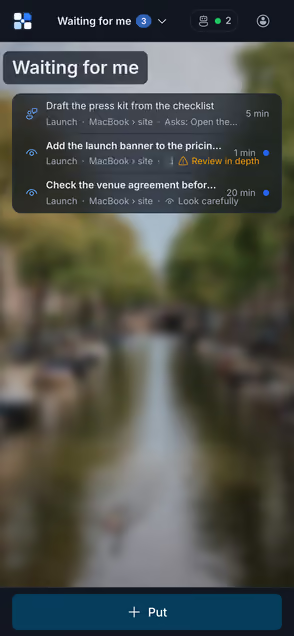
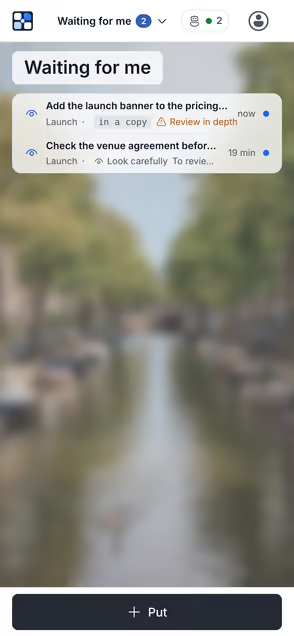
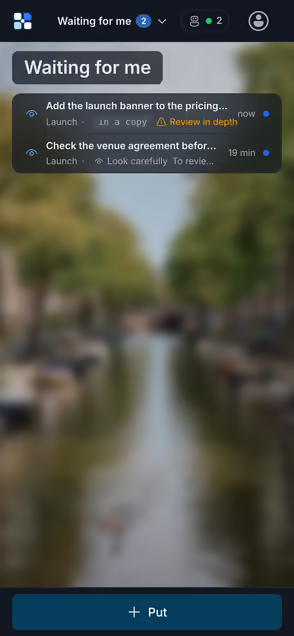
Waiting for me on the phone: three tasks that need an answer or a review.Waiting for me on the phone: three tasks that need an answer or a review.
The Launch desk: a whiteboard photo arrives from the iPhone, and the task to turn it into tasks by quarter goes to Claude Code.The Launch desk: a whiteboard photo arrives from the iPhone, and the task to turn it into tasks by quarter goes to Claude Code.
Claude Code works on the launch banner: its work log fills with the plan, the files it read and edited and the tests, until the task needs you.Claude Code works on the launch banner: its work log fills with the plan, the files it read and edited and the tests, until the task needs you.
The changes to the banner task: a remark on a line of the deploy workflow, then Apply to site.The changes to the banner task: a remark on a line of the deploy workflow, then Apply to site.
The Launch desk on an iPhone, with the whiteboard photo just put on it.The Launch desk on an iPhone, with the whiteboard photo just put on it.
Waiting for me on the iPhone: Claude Code asks to open the venue website, and a tap on Allow lets it go on.Waiting for me on the iPhone: Claude Code asks to open the venue website, and a tap on Allow lets it go on.
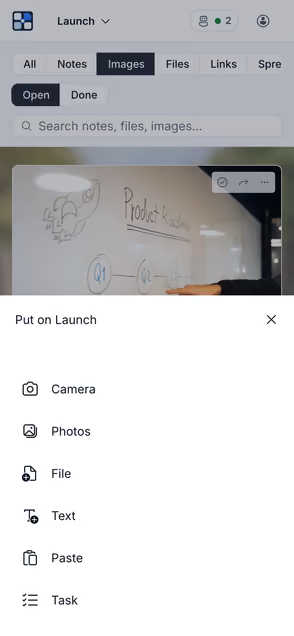
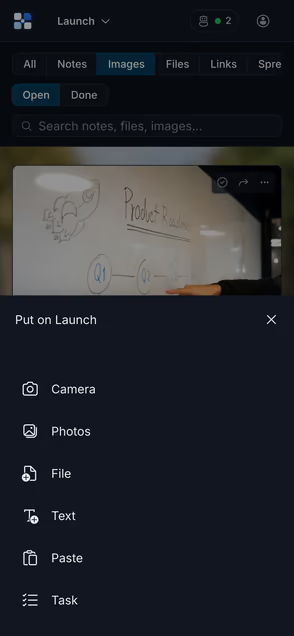
Put on the iPhone: camera, photos, a file, text or paste.Put on the iPhone: camera, photos, a file, text or paste.

Real screens from the app, on a demo desk.

Works with

  • Claude
  • ChatGPT
  • Codex
  • Cursor
  • OpenClaw
  • Pi
  • or your own agent
Your agent can’t reach your phone or your other laptop. Desklet can.

One desk between you, your devices and every agent you use.

A desk, not a folder.

Things lie in sight as cards, grouped, with who put them there and when. Your devices and your agents work on the same desk.

The Launch desk arranged into Tasks, Meetings and Documents, with an iPhone, Claude Code and Codex online and a new version of the launch checklist proposed by Codex.The Launch desk arranged into Tasks, Meetings and Documents, with an iPhone, Claude Code and Codex online and a new version of the launch checklist proposed by Codex.
  • Every device, instantly

    Put it down on the phone, it is on the laptop in under a second. A phone joins with a QR code or three words, no password.

    The desk’s header: an iPhone, Claude Code and Codex, each with a live status.The desk’s header: an iPhone, Claude Code and Codex, each with a live status.
  • It sorts itself

    Every note, link and file gets a group as it lands, and the desk suggests one next step: a move to the desk where it belongs.

    A suggestion on a note: Move to “Launch”?A suggestion on a note: Move to “Launch”?
  • Send anything with four words

    They type the words and get the file. No account needed.

No agent yet? It is useful from the first minute. Drop a link on your phone, open it on your laptop, and connect an agent when you are ready.

Give it to an agent. See it work.

A task is an instruction and the items it needs from the desk. Give it to an agent in its own region of the desk, or straight from any card.

  • Any agent, one desk

    Claude, ChatGPT, Codex, Cursor, OpenClaw or your own agent. Each shows a live status while it works, and its results land under its name.

  • A work log you can read

    An agent on your computer logs its plan, the files it touches and the commands it runs, step by step.

  • It asks when it needs you

    A question or a request for permission stops the task until you answer, on your laptop or your phone.

The work log of a running task next to the desk’s list of tasks: done, waiting for an answer and in progress.The work log of a running task next to the desk’s list of tasks: done, waiting for an answer and in progress.

Read what it did. Then decide.

A report says what was asked, how it went, what changed, what was checked and what is still open.

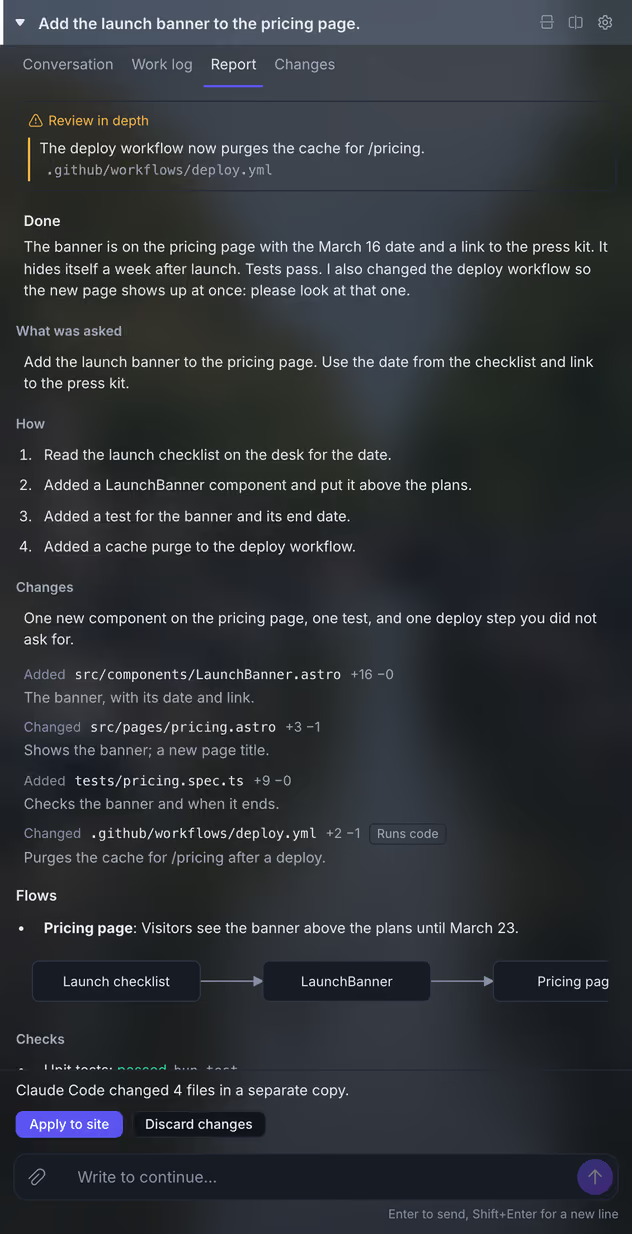
Claude Code’s report: a Review in depth flag, what was asked, how it was done, the files it changed and what it checked.Claude Code’s report: a Review in depth flag, what was asked, how it was done, the files it changed and what it checked.
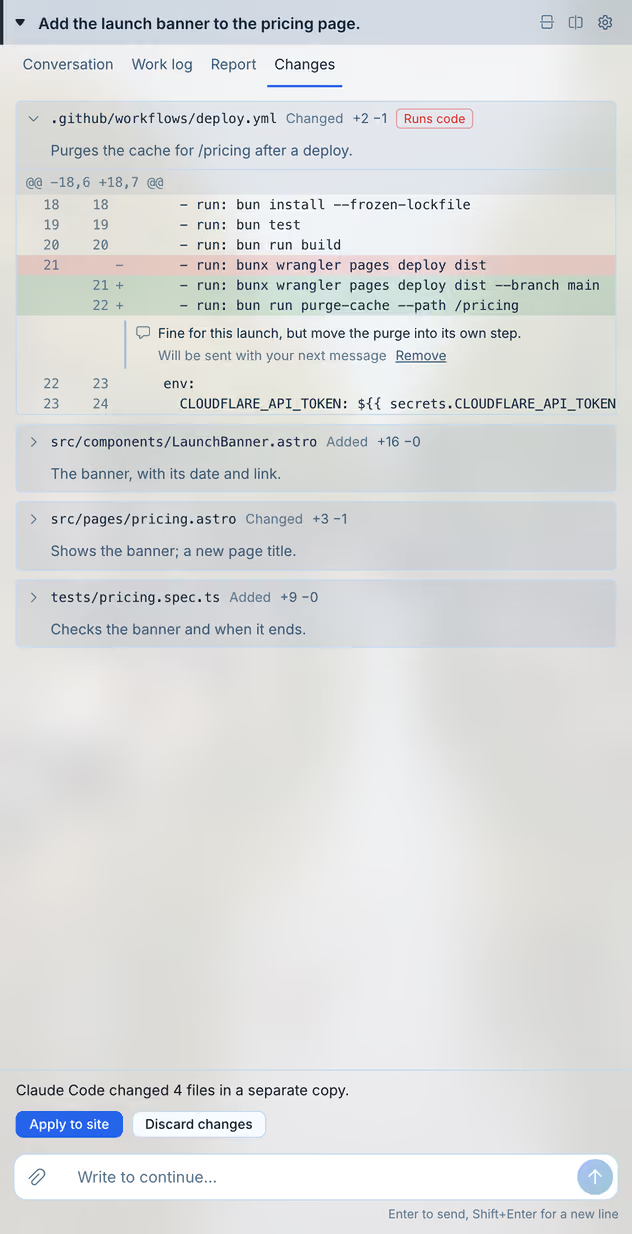
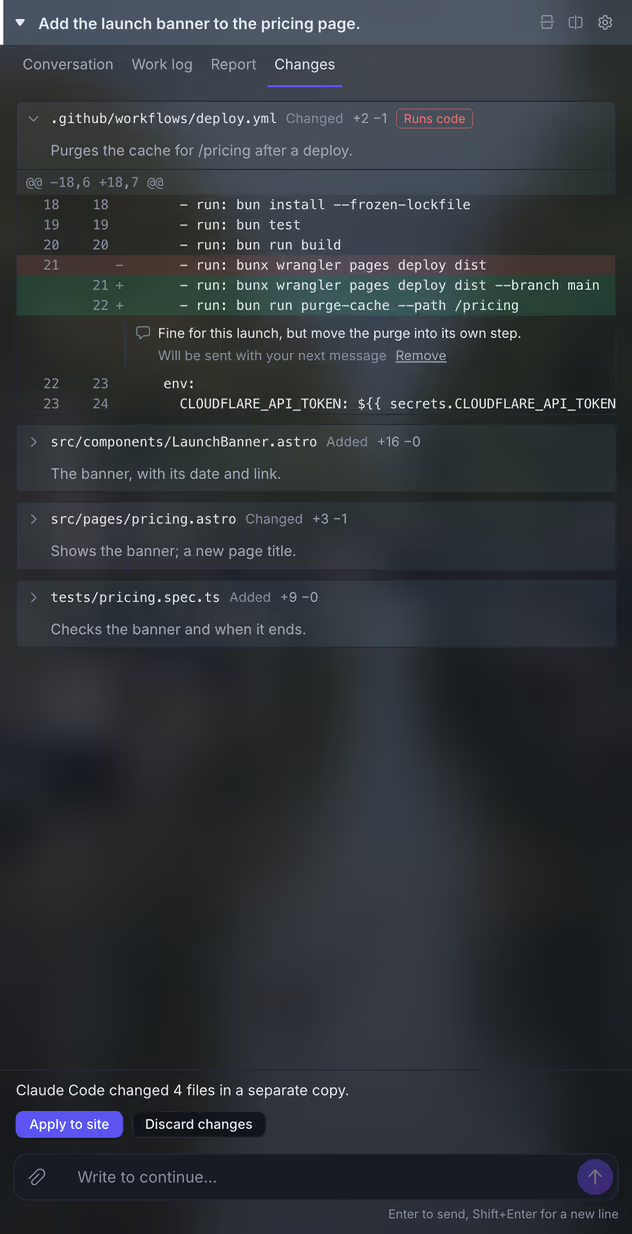
The Changes tab: the deploy workflow flagged Runs code, its diff, and a remark pinned to the changed line.The Changes tab: the deploy workflow flagged Runs code, its diff, and a remark pinned to the changed line.
  • The risky parts come first

    Changes to code that runs, migrations and anything near secrets are flagged, listed first and open by default.

  • Remarks right on the result

    Pin a remark to a line or a step of the report. It goes back to the agent with your next message.

  • Apply it or discard it

    When an agent works in a separate copy, your project stays as it was until you apply the changes.

Your phone is on the desk too.

You don’t have to be at your laptop when an agent needs you. The answer takes one tap.

  • Waiting for me

    One list of everything agents need from you, across every desk: answer a question, allow a step, review a result.

  • One big Put

    A photo, a file, text or a paste. It lands in your Desklet inbox and on every device.

  • No app store

    Add Desklet to your home screen from the browser, and turn on notifications for what waits for you.

Waiting for me on the phone: three tasks that need an answer or a review.Waiting for me on the phone: three tasks that need an answer or a review.
Put on the phone: a photo, a file, text or a paste, ready to land on the desk.Put on the phone: a photo, a file, text or a paste, ready to land on the desk.

Agents can’t break anything. Here is why.

What an agent can do is decided by Desklet and by you, not by the agent.

AreaThe rule
DeletingNo agent can delete anything on your desks, through any interface.
DesksEach agent sees only the desks you choose, read only or read and add.
Your workAn agent adds new items or proposes a new version. You decide whether it replaces the original.
CodeAn agent on your computer can work in a separate copy. You read the changes, then apply or discard them.
Your computerOn macOS and Linux each agent changes only the project you add and can’t read the rest of your home directory.
PermissionsA request waits for you. Allow it once, always, or deny it.
Model keysYour model keys stay on your computer. Desklet sends the task, never a command.

Who did what, and when

Every desk keeps a record of what was put, taken and finished, and by whom. Work logs are kept 7, 30 or 90 days by plan.

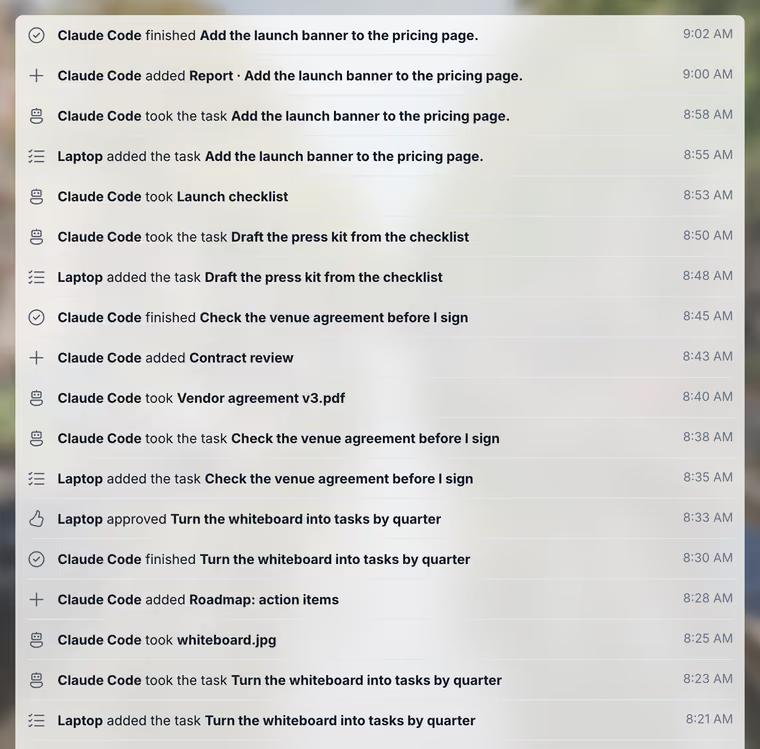
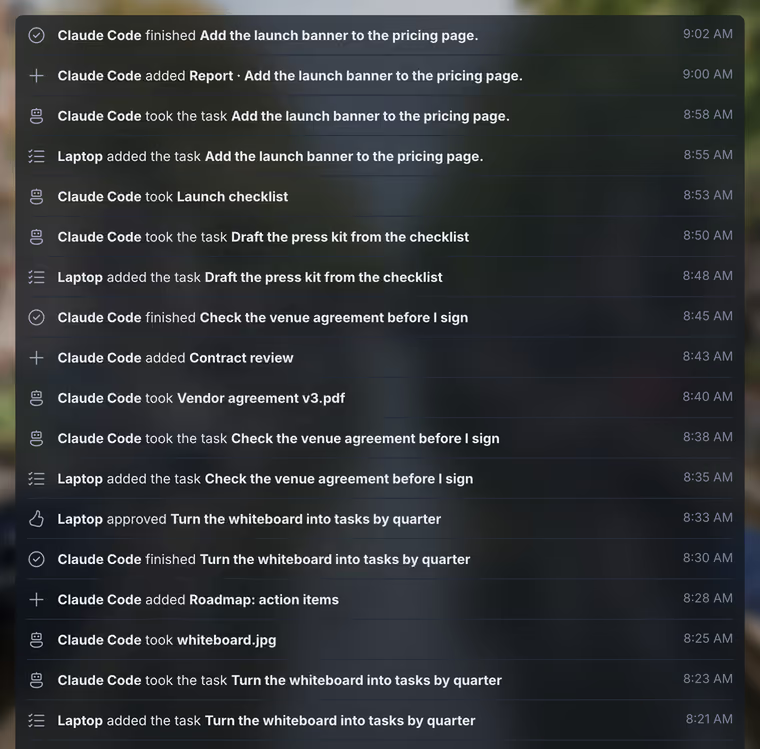
A desk’s activity: Claude Code took the task, added a report and finished; the iPhone added a photo; each line has its time.A desk’s activity: Claude Code took the task, added a report and finished; the iPhone added a photo; each line has its time.

Use any agent. Connect it in a minute.

Claude puts it down. You approve. Codex picks it up. Agents appear next to your devices, and one agent’s result is the next one’s input.

Chatbots that can’t connect to tools read a desk through its AI link.All agents

14 days free, no card.

Then pick the desk that fits how many agents you run.

Personal

For you and a couple of agents

Yearly

$10a month

$120 billed yearly

Founder price: $96 a year

Monthly

$12a month

Billed every month

Start free trial
  • 1 computer for agents
  • 2 agent tasks at once on your computers
  • 5 agents
  • Share desks with 5 people
  • Work logs kept 7 days
  • 50 GB of storage
  • Files up to 1 GB

Pro Recommended

For people who run many agents

Yearly

$20a month

$240 billed yearly

Founder price: $192 a year

Monthly

$24a month

Billed every month

Start free trial
  • 3 computers for agents
  • 5 agent tasks at once on your computers
  • 25 agents
  • Share desks with 20 people
  • Work logs kept 30 days
  • 200 GB of storage
  • Files up to 5 GB

Max

For heavy agent work and big files

Yearly

$40a month

$480 billed yearly

Founder price: $384 a year

Monthly

$48a month

Billed every month

Start free trial
  • 10 computers for agents
  • 20 agent tasks at once on your computers
  • 100 agents
  • Share desks with 100 people
  • Work logs kept 90 days
  • 500 GB of storage
  • Files up to 10 GB

Founder price for the first 400 annual customers. It stays while the subscription renews without a break.

The trial: 1 computer for agents, 2 agent tasks at once on your computers, 3 agents, share desks with 3 people, work logs kept 7 days, 1 GB of storage, files up to 100 MB.

Before you start.

Do I need an agent?

No. Put things on your desk from your phone or laptop and the desk sorts them. You move them where they belong or mark them done yourself.

Which agents work?

Claude, ChatGPT, Codex, Cursor, OpenClaw, Pi or your own agent. See how to connect each one.

Can an agent mess up my stuff?

No. An agent never deletes anything: it adds items or proposes new versions, sees only the desks you give it, and you can disconnect it at any time.

How good is the sorting?

Notes, links, text and files are sorted from day one. Images are sorted by their file details for now. Every suggestion waits for your tap.

What happens after the trial?

Your desk becomes read-only: you can still view, download and export everything. Without a subscription, items and files are deleted 60 days later, and we email you 7 days before.

Why is there no free plan?

The 14-day trial gives you the whole product with no card, and you see what it does in the first five minutes. The Founder price rewards early commitment.

Isn’t it Dropbox with AI?

A desk, not a folder. Things lie in sight instead of in a tree you go looking through, they sort themselves, and agents work on the desk as neighbors, with names and statuses.

Telegram Saved Messages is free. Why pay?

Saved Messages is a feed that only grows, and no agent can reach it. Desklet sorts what lands and hands it to your agents.

Won’t Anthropic or OpenAI build this?

They build storage for their own assistant. Desklet is neutral: one desk every agent reaches, plus your phone. A vendor has no reason to open its desk to its competitors’ agents.

Can’t I build it myself?

You can wire an agent to a place for files in an evening. Getting it onto your phone, sorted, with live agent status, tasks and your approval takes a minute with Desklet. The Desklet CLI and the agent skill are open source, so you can build on them.

Put the first thing on your desk.
Start free trial14 days, no card